.webp)
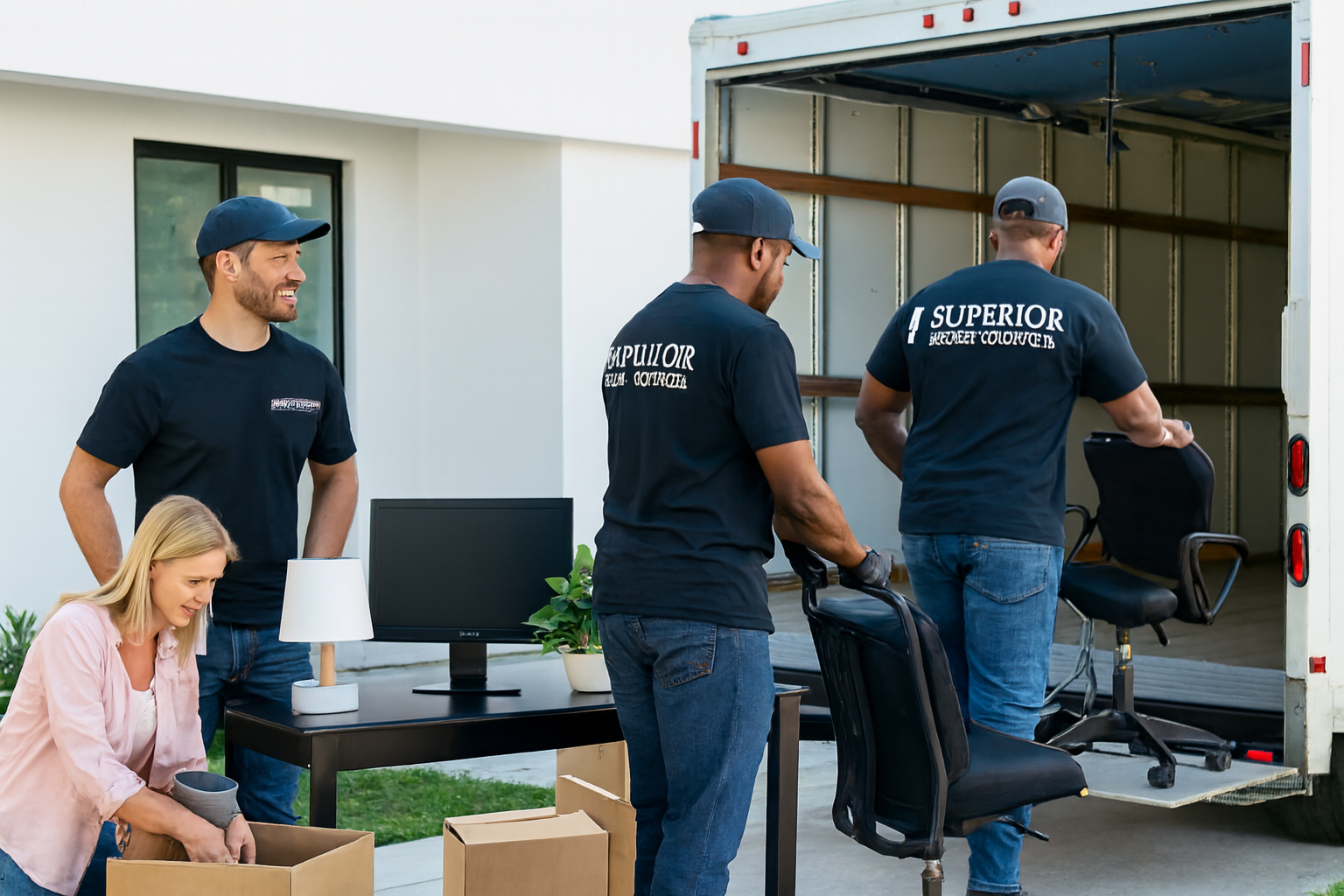
How to Pack and Move Your Home Office: A Complete Guide to Protecting Equipment, Files, and Furniture
Written by:
Superior Moving & Storage
Published:
July 20, 2026
Learn how to pack and move your home office the right way — computers, monitors, filing cabinets, cables, and furniture — with expert tips from Superior Moving & Storage.
Knowing how to pack and move your home office correctly is one of the most overlooked challenges in any residential relocation. The home office looks manageable — a desk, a chair, a computer, a few shelves — but once you actually start auditing everything in the space, the complexity compounds quickly. You're dealing with fragile electronics and monitors that can be destroyed by a single hard impact; a tangle of cables that took months to organize properly; filing cabinets packed with irreplaceable documents; external hard drives storing years of work; ergonomic furniture that requires careful disassembly; and the very real possibility that a single day of downtime after the move could cost you professionally. At Superior Moving & Storage, we've relocated thousands of households across Philadelphia, New Jersey, Delaware, and beyond, and the home office is consistently one of the rooms that catches people off guard — not because it's the largest, but because the stakes of getting it wrong are unusually high. This guide gives you a complete, actionable plan for packing and moving your home office from start to finish.
The home office presents a particular challenge because it mixes high-value, high-fragility electronics with important paperwork and bulky furniture — often in a room that was originally designed for something else and is already short on space. A thoughtful strategy that addresses each category on its own terms is what separates a smooth home office move from one that costs you equipment, documents, and days of lost productivity. Here's how to build that strategy.
Why Your Home Office Deserves Its Own Packing Plan
Most rooms in a home can be approached with a general packing method: use appropriate box sizes, wrap fragile items, label clearly, and work systematically. The home office resists that approach for several important reasons.
First, home office equipment is expensive and sensitive. A desktop tower, dual monitors, a laptop, a printer, a scanner, and a network-attached storage device can collectively represent thousands of dollars of hardware — much of it irreplaceable in the short term if lost or damaged. Unlike a lamp or a piece of décor, a damaged monitor cannot be functionally substituted with bubble wrap and a hope. It needs to be packed in purpose-appropriate materials, ideally in the original manufacturer's box or a well-cushioned equivalent.
Second, the home office contains data you cannot afford to lose. External hard drives, USB drives, backup disks, and physical documents all live in this room. Vibration, pressure, static electricity, and moisture are genuine threats to storage media during a move. Packing them correctly — and backing up your data before the truck ever arrives — is a step that cannot be skipped.
Third, home office furniture is often heavy, bulky, and awkward. L-shaped desks, hutch-top units, and large filing cabinets frequently require disassembly, and the hardware for reassembly is easy to lose if not bagged and labeled properly. Standing desks with motorized components add another layer of complexity. Getting the furniture right means you're not starting your first week in the new space trying to source replacement bolts.
Start with a Full Inventory and Data Backup
Before you touch a single cable or open a single drawer, sit down and take stock of everything in your home office. This inventory serves two purposes: it helps you pack methodically, and it gives you a reference point if anything is lost or damaged during the move.
Document Your Equipment
Write down or photograph every piece of equipment: computers, monitors, keyboards, mice, webcams, microphones, headsets, printers, scanners, routers, modems, UPS battery backups, external drives, docking stations, and any other hardware. Note the make and model of each item. This record is useful not just for packing, but for insurance purposes and for reassembly in the new space.
Back Up Everything Before You Pack
This step is non-negotiable. Before you unplug a single device, perform a complete backup of every computer and external drive. Use a cloud backup service, a secondary external drive that you'll transport separately in your personal vehicle, or both. No packing strategy fully eliminates the risk of physical damage to storage media — backing up your data is the only true protection. If you use a desktop that runs continuously, this is also a good moment to do a clean shutdown and allow the hard drives to fully spin down before unplugging.
Photograph Your Cable Setup
Before you unplug anything, take detailed photographs of how every cable is connected — from the back of your desktop tower, behind your monitors, at your router and modem, and at your surge protector or UPS. These photographs will save you significant time and frustration when you're reassembling everything in the new office. Take multiple angles and make sure the images are clear enough to read cable labels if any are present.
How to Pack Computers, Monitors, and Electronics
Electronics are the most valuable and the most fragile items in your home office. They require individual attention and appropriate packing materials — not just a layer of bubble wrap tossed into a box.
Desktop Computers and Towers
If you still have the original manufacturer's box for your desktop tower, use it. Original packaging is designed specifically to protect that unit during transport and is the best option available. If the original box is gone, use a snug-fitting heavy-duty box and line it with at least two inches of foam padding or anti-static bubble wrap on all six sides. Do not use regular bubble wrap directly against computer components — static electricity can damage sensitive hardware. Anti-static packing materials are the correct choice here.
Remove the tower from its desk mount or stand before packing. Secure any loose internal components if you're comfortable doing so — graphics cards and large coolers can shift during transport. Seal cables in a labeled bag and pack them separately.
Monitors
Monitors are among the most vulnerable items in any home office move. Screens crack under pressure and the bezels crack at corners. Original boxes are ideal. If unavailable, wrap the screen face in clean packing paper first (never bubble wrap directly against the screen surface, as the bubbles can leave impressions or static marks), then wrap the whole unit in several layers of bubble wrap, and stand it upright — never flat — in a box with crumpled paper or foam filling all gaps. Label the box "FRAGILE — THIS SIDE UP" on every face.
Laptops, Tablets, and Small Electronics
Laptops should travel in a padded laptop case or sleeve inside a separate box — not mixed with other items. Tablets, external drives, and webcams should each be wrapped individually in bubble wrap and packed in a box with adequate cushioning. Small electronics should never be loose in a box with heavier items that could shift and crush them.
Printers and Scanners
Remove ink or toner cartridges from printers before packing. Even cartridges that appear sealed can leak under the pressure changes and vibration of a moving truck. Seal removed cartridges in a zip-lock bag and pack them separately. Inkjet print heads should be moved to the locked/parked position if your model supports this — consult the user manual. Use the printer's original box if available; otherwise, pack it in a snug box with foam cushioning on all sides.
Organizing and Packing Documents and Filing Cabinets
The paper side of a home office is often just as important as the electronic side — and considerably easier to damage or lose if handled carelessly. Tax records, contracts, insurance documents, financial statements, and personal legal papers all deserve careful handling.
Sort Before You Pack
A move is an excellent opportunity to purge documents you no longer need. Shred anything expired, outdated, or irrelevant. Sensitive documents that have reached the end of their retention period should be shredded, not simply recycled. This reduces the volume you need to move and reduces the risk of sensitive information being misplaced in transit.
For documents you're keeping, organize by category — financial, legal, medical, tax, personal — and label your files clearly before packing. If your filing system is already well-organized, this step is quick. If it isn't, the move is the right moment to fix that.
Moving Filing Cabinets
Filing cabinets are heavy — often surprisingly so — and require specific handling. Remove all files from the drawers before moving the cabinet itself. Packed filing cabinets are extremely heavy, create a dangerous center-of-gravity issue on dollies, and put stress on the drawer slides and cabinet frame that can cause permanent damage. Transport files in labeled banker's boxes or lidded file boxes, organized to match the cabinet's original order so reassembly is straightforward.
Lock the filing cabinet drawers before moving if the cabinet has a locking mechanism. If not, use rubber bands or painter's tape around the cabinet body — not across the face — to keep drawers closed during transit.
Protecting Irreplaceable Documents
Truly irreplaceable documents — original birth certificates, passports, deeds, wills, and similar items — should not go on the moving truck at all. Transport them yourself in a secure bag or document folder in your personal vehicle, or in a fire-resistant document bag. If you're working with a professional packing team, make sure they know which items you are personally handling so nothing is packed into a box by mistake.
Disassembling and Moving Home Office Furniture
Home office furniture ranges from simple flat-pack desks to heavy solid-wood executive desks and complex modular systems. Regardless of the type, the approach is the same: disassemble what can be disassembled, protect what can't, and label every piece of hardware so reassembly doesn't require guesswork.
Desks and Workstations
Most L-shaped desks and hutch-top units are designed to be separated into component pieces. Identify the connection points, gather the appropriate tools (Allen keys, screwdrivers), and disassemble before the movers arrive. As you remove bolts, screws, and brackets, place them immediately into a labeled zip-lock bag — one bag per piece of furniture — and tape the bag directly to the furniture piece it belongs to. Do not combine hardware from multiple items into a single bag.
Glass-topped desks should have the glass removed, wrapped in moving blankets or several layers of packing paper, and transported flat in a dedicated space. Do not leave glass tops attached to desk frames during transport.
Standing Desks with Motorized Frames
Motorized standing desks have control boxes, wiring harnesses, and motor units that can be damaged if the desk is moved while extended. Lower the desk to its fully collapsed position before disassembly. Follow the manufacturer's guidance for transport if available. Most motorized frames are designed to be shipped in a flat position and are safest transported the same way.
Office Chairs
Most office chairs disassemble into three components: the base (with casters), the gas cylinder, and the seat/back assembly. Separating these makes the chair much easier to move and protects the upholstery from being scuffed. Wrap the seat and back in stretch wrap or a furniture blanket. Bag the casters separately if they detach easily.
Bookshelves and Storage Units
Empty all shelves completely before moving. Bookshelves with items on them are both heavier than they appear and structurally vulnerable to racking forces during transport. Pack books spine-down or flat in small, heavy-duty boxes — never in large boxes, which become dangerously heavy. Label every box with its destination shelf if the placement matters to you. Our guide on packing high-density storage spaces covers similar principles that apply to book-heavy rooms.
Managing Cables, Peripherals, and Accessories
Cables are the single most commonly mishandled category in any home office move. They are easy to tangle, easy to lose, and surprisingly difficult to sort out at the destination if they weren't organized on the way in.
Use a consistent system for every cable. Color-coded zip ties or short pieces of masking tape with handwritten labels are both effective. Coil each cable loosely — do not wrap tightly around your hand, which stresses the cable at the ends — and secure with a twist tie or zip tie. Place related cables together in labeled gallon-size zip-lock bags: one bag for monitor cables, one for computer peripherals, one for networking equipment, and so on.
Surge protectors and power strips should be packed separately and labeled clearly. If any surge protector shows signs of discoloration, burning smell, or a tripped internal fuse, replace it rather than moving it.
Small accessories — USB hubs, dongles, cable adapters, SD card readers — are easy to lose in a larger box. Pack them together in a small labeled container or zip-lock bag inside a larger box dedicated to accessories.
Setting Priorities for Moving Day and the New Space
Your home office should be one of the first rooms you unpack and reassemble if you work from home. Downtime has a real cost, and knowing that your workstation will be functional on day one or two removes a major source of moving stress.
Label your home office boxes with a priority system — "UNPACK FIRST" for computer equipment and essentials, "UNPACK SECOND" for documents and filing, and "UNPACK WHEN SETTLED" for décor and non-essential storage. Communicate this priority to your moving team so the right boxes end up in the right place and accessible.
Before the movers arrive, measure the new office space and have a furniture layout plan ready. Know where the outlets are, where the internet connection point is, and where each piece of furniture will go. This planning prevents the common scenario where a large desk gets moved into a room and then needs to be repositioned twice because the cable drops are in the wrong place.
If the logistics of moving your home office feel overwhelming — or if you have particularly high-value or delicate equipment — consider asking about specialty moving services designed for sensitive electronics and precision placement. Professional teams experienced with home office moves bring the right materials, the right equipment, and the right process to protect what matters most in your workspace.
Frequently Asked Questions
Should I transport my desktop computer in the moving truck or in my personal vehicle?
For most standard desktop computers, a well-packed moving truck is acceptable — as long as the unit is packed in anti-static materials inside a snug, cushioned box and kept upright during transit. However, if your desktop contains particularly sensitive components (high-end graphics cards, custom liquid cooling systems) or irreplaceable local data that hasn't been backed up, transporting it in your personal vehicle is the safer option. Laptops and external hard drives should almost always ride in your personal vehicle, not on the truck.
What's the safest way to move a large monitor without the original box?
Without the original box, wrap the screen face in clean packing paper first — never bubble wrap directly against the screen — then wrap the entire monitor in two to three layers of bubble wrap. Place it upright (never flat) in a box sized as close to the monitor dimensions as possible, and fill all remaining gaps with crumpled packing paper or foam. Label every side of the box 'FRAGILE — THIS SIDE UP.' Do not stack anything on top of monitor boxes.
How do I keep my cable setup organized so I can reassemble my home office quickly?
The most effective approach is to photograph your entire cable setup from multiple angles before you unplug anything. Then label each cable with a small piece of masking tape describing what it connects. Coil each cable loosely and secure it with a twist tie or zip tie. Group related cables in labeled zip-lock bags (monitor cables together, networking cables together, peripheral cables together). This system makes reassembly in the new office straightforward even if several weeks pass between packing and unpacking.
Do I need to empty my filing cabinet before the movers carry it?
Yes — always empty filing cabinets before they are moved. Full filing cabinets are extremely heavy and the weight distribution puts dangerous stress on both the cabinet structure and the movers. Remove all files and pack them in labeled banker's boxes or file boxes organized to match the cabinet's original order. Lock the cabinet drawers (if possible) or secure them with rubber bands before transport.
What should I do with irreplaceable documents like passports, deeds, and wills during a move?
Irreplaceable legal and personal documents should not go on the moving truck under any circumstances. Transport them yourself in a secure document folder, a waterproof bag, or a fire-resistant document pouch in your personal vehicle. If you're using professional movers, communicate clearly which items you are personally responsible for so nothing is accidentally packed into a box by the crew. Consider making certified copies of key documents before the move as an additional safeguard.



Have Questions About Your Move?
Find clear answers to common moving questions. Learn more about our services, process, and what to expect on moving day.
Our team is here to help. Contact us for personalized assistance with your moving needs.
Ready for a Stress-Free Move?
Let our family help your family with a move handled the right way from start to finish. Request your free quote today and see why Philadelphia families have trusted us since 1981.